
Gradual publishing
With SEO Generator you create hundreds of pages in one go. Gradual publishing makes them go live step by step instead of all on one day, the way a real website grows.
Why gradually?
Search engines need time to discover, crawl and judge new pages. Hundreds of similar pages appearing on one day is not how real websites grow, and search engines may then index fewer of them, or take longer. A slower pace gives every page a better chance.
Switch it on and choose a pace
Go to SEO Generator › Settings, tab Publishing, or open Plugin setup.
- Release new pages gradually: we recommend Yes. With No, all pages go live at once when you publish. That is only fine for a few dozen pages.
- Pace:
- Careful: about 25 pages a week, for new websites or domains with little history.
- Steady: about 75 pages a week, a natural pace for most websites (recommended).
- Fast: about 200 pages a week, only for established websites with many pages in Google already.
Below the paces you see how many pages of your website are not live yet, and for every pace how long it takes until they are all live.
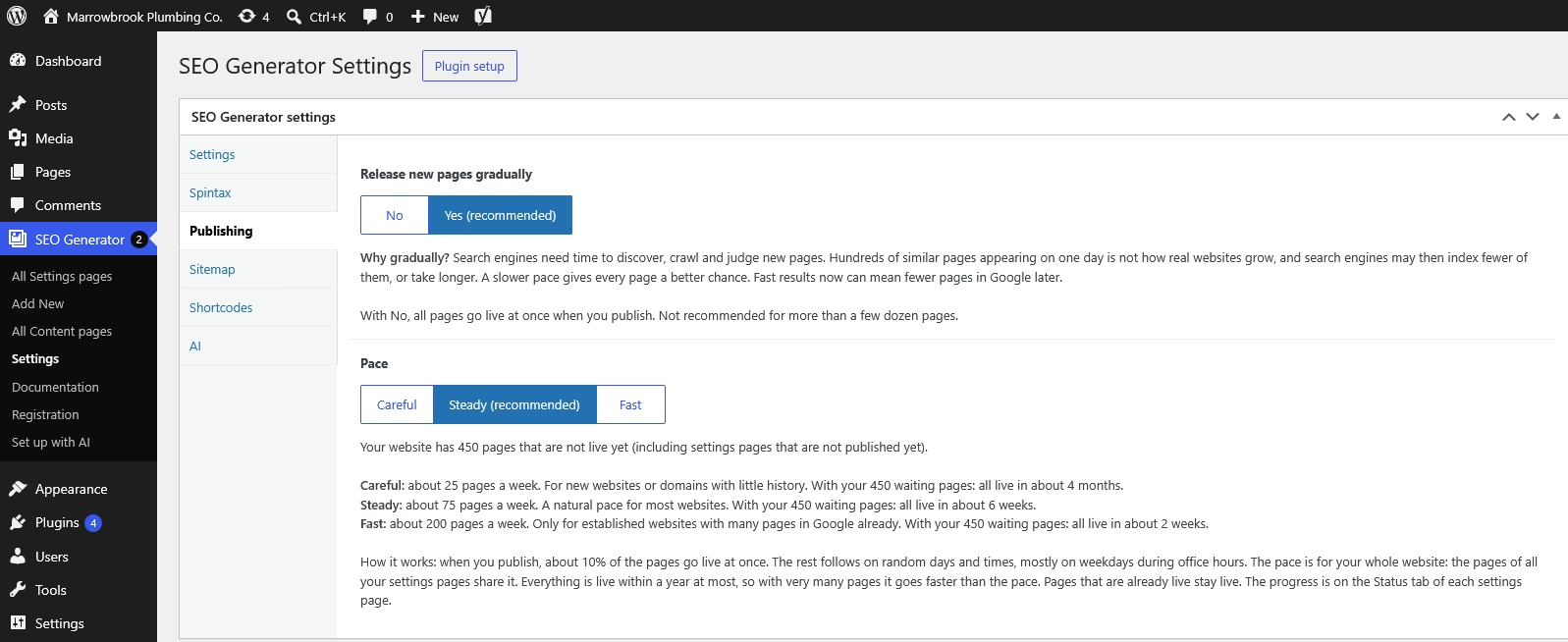
What happens when you publish
- About 10% goes live at once, so you see results right away.
- The rest follows on random days and times, mostly on weekdays during office hours, rarely on a Sunday. You do not have to do anything: every page goes live by itself at its moment.
- The pace is for your whole website. The pages of all your settings pages share it and go live mixed together. Publish a second settings page, and the pages that are not live yet are planned again, together with the new ones.
- Everything is live within a year at most. With very many pages, it goes faster than the pace. Small sets still take at least a week.
Before you publish, the Status tab of the settings page shows how long it will take with your pages.
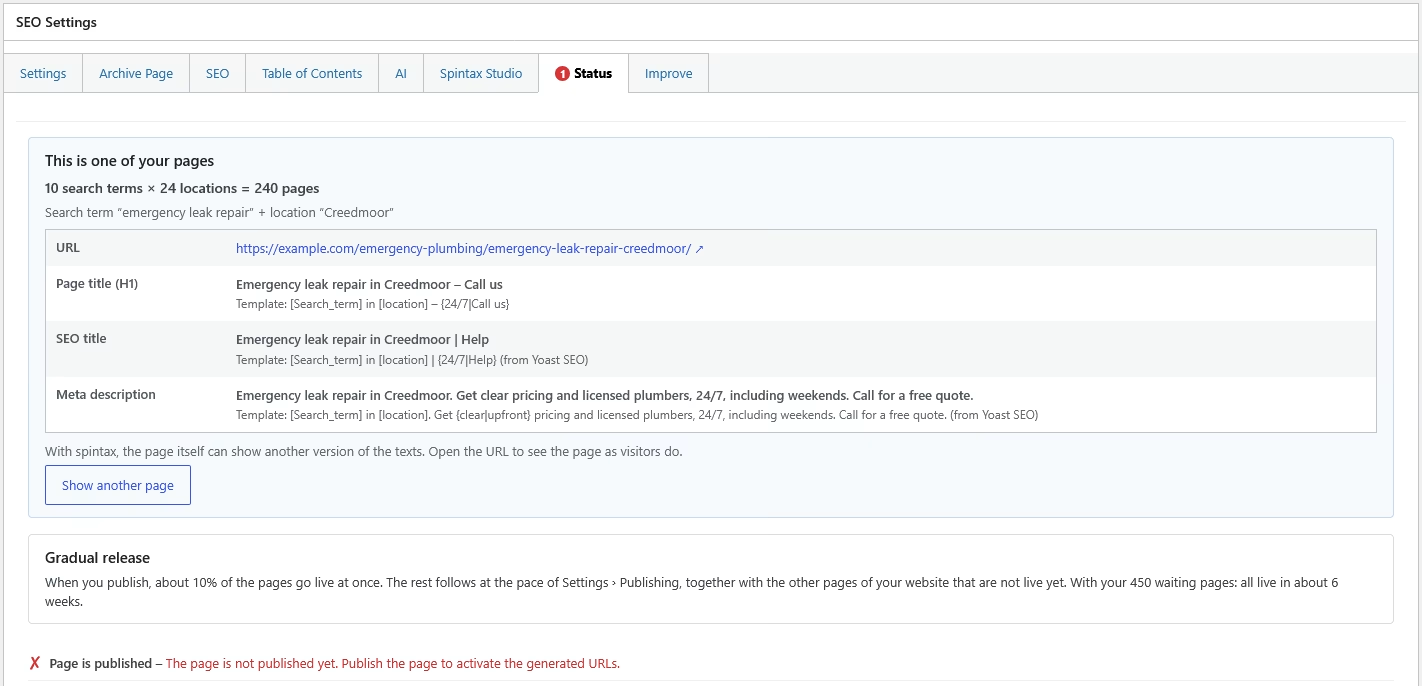
Pages that are not live yet
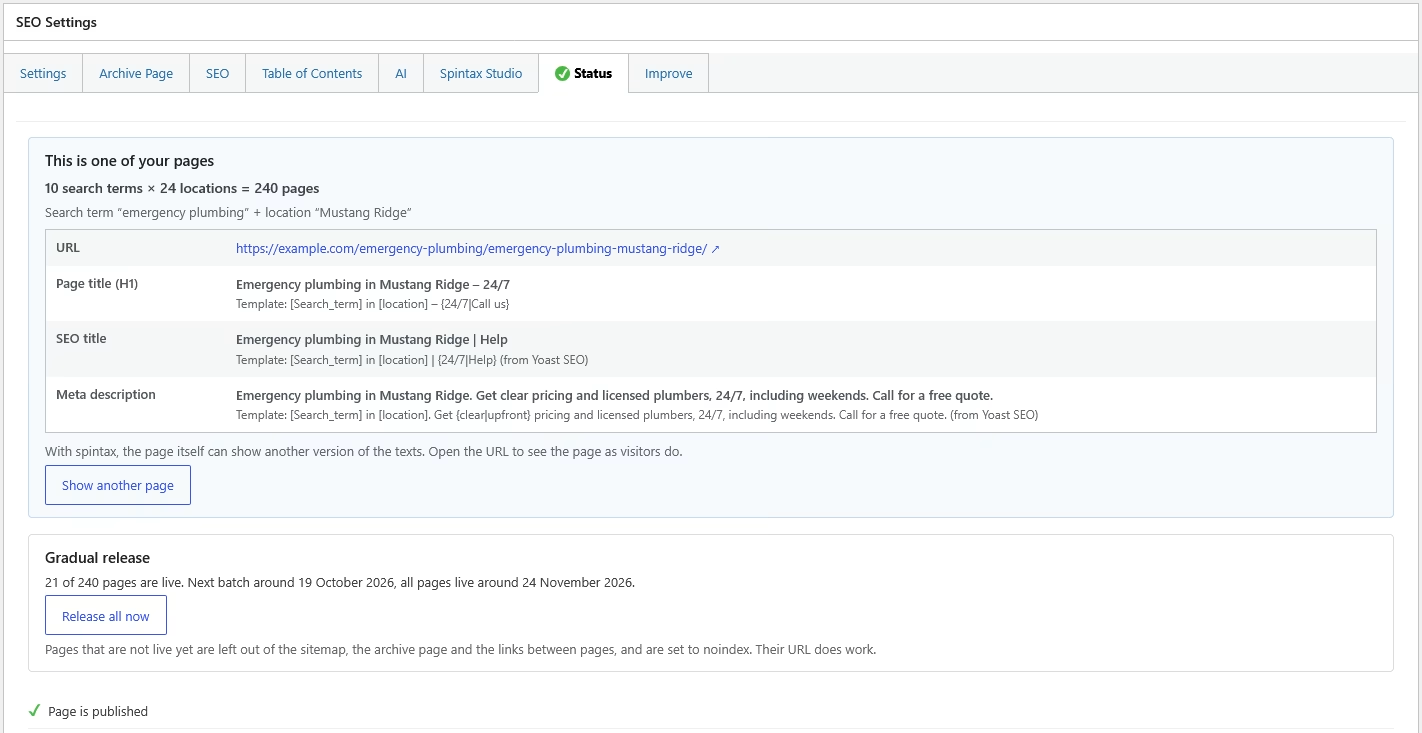
A page that is not live yet is left out of the sitemap, the archive page and the links between pages, and it is set to noindex. So search engines do not find it yet. Its web address does work: you can open it yourself, and links that already exist keep working.
Follow the progress
After publishing, the Status tab shows how many pages are live, when the next batch goes live and when all pages are live.
Want all pages of a settings page live now anyway? Click Release all now. This cannot be undone.
Good to know
- Pages that are live stay live. Changing the pace or adding pages never takes a live page offline.
- Adding search terms or locations later: the new pages are planned at the same pace, and about 10% of them goes live at once.
- Switching it on for pages that are already live: they stay live; only pages you add later go gradually.
- Switching it off: all pages that were waiting go live at once.
- A draft gets its schedule when you publish it, not before.